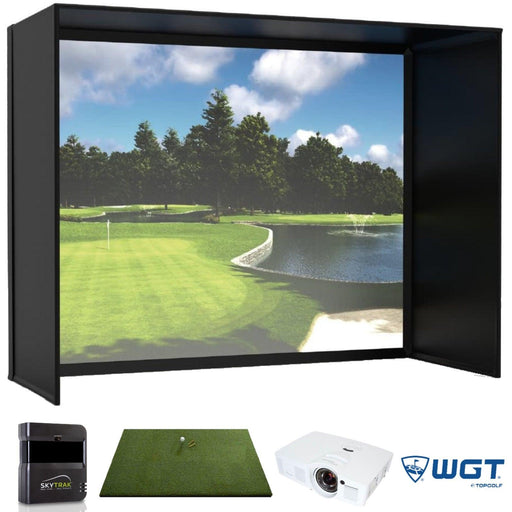

Why Serious Golfers Are Switching to Overhead Launch Monitors
Walk into any modern golf simulator setup and you’ll notice one clear trend: the technology has moved overhead. Players who once relied on floor units or portable radar sensors are upgrading to overhead launch monitors for accuracy, convenience, and a cleaner setup. These systems are finding their way into home simulators too. Let’s understand why.
What Makes Overhead Systems So Appealing
Overhead launch monitors mount securely to the ceiling, leaving the hitting area free of clutter and cables. That simple shift in design gives players more room to swing, putt, and move naturally. There’s no device on the floor to reposition for left- or right-handed players, and the sensors capture data from directly above the ball for consistent reads every time.
The setup looks tidy, but it also feels professional. For golfers who value both precision and presentation, overhead technology has become the standard for serious simulation environments.
ProTee VX Overhead Launch Monitor
At the top of the list is the ProTee VX, one of the most advanced systems available today. Using high-speed cameras and infrared sensors, it tracks club and ball data simultaneously, including launch angle, spin axis, club path, and face angle, with remarkable consistency.
Because it’s mounted overhead, there’s no need to align or recalibrate between sessions. Pair it with simulation software like TGC 2019, E6 Connect, or ProTee Play, and you’ll experience real-time ball flight in stunning 3D.
Starting around $6,500, the ProTee VX is a favorite among coaches, fitters, and players who want a system they can trust for both teaching and practice.
VisTrak SCX Ceiling Mounted Launch Monitor
Another reliable performer is the VisTrak SCX IR Pro, which brings precision and flexibility at a lower price point, about $3,499. It uses dual cameras and infrared imaging to record every swing from above, providing detailed feedback on club movement and impact quality.
The SCX works seamlessly with E6 Connect and other major simulation platforms, giving you high-definition visuals and accurate data. Its lightweight design and simple installation make it a practical choice for home simulators where space and accuracy both matter.
Galaxy Ceiling Mounted Launch Monitor
For golfers who want robust commercial-level tracking, the Galaxy Ceiling Mounted Launch Monitor delivers. Priced at $7,499.99, it measures ball speed, spin rate, launch angle, and club path with excellent consistency across a wide range of shot types.
The Galaxy is designed to handle heavy daily use, which makes it ideal for simulator businesses or multi-player home setups. It’s known for stability and repeatable results, qualities that serious players rely on to fine-tune performance.
Apogee Ceiling Mounted Launch Monitor
If you’re looking for a premium, all-in-one experience, the Apogee Ceiling Mounted Launch Monitor sits near the top tier at $11,495. Its advanced imaging system captures every nuance of your swing without the need for reflective dots or marked balls.
Paired with compatible software, Apogee provides immersive course visuals and real-time feedback on both ball and club data. It’s perfect for players who expect seamless performance and want their simulator to feel as close to the course as possible.
E6 Interactive Sports Camera
While not a launch monitor by itself, the E6 Interactive Sports Camera complements overhead systems beautifully. Costing about $7,500, it enhances your simulation with motion tracking and expanded sports modes, allowing you to practice not just golf but multiple disciplines.
When integrated into a simulator setup, it turns data collection into a visual experience that keeps players engaged during long practice sessions.
How Overhead Systems Improve Your Training
- Uninterrupted Space – No sensors on the floor means more freedom of movement for every player.
- Accuracy from Above – Top-down imaging ensures consistent ball-flight tracking across different hitting positions.
- Seamless Switching – No manual adjustments needed for left- or right-handed users.
- Professional Presentation – Overhead designs look clean and elevate the overall simulator environment.
- Durability and Stability – With fixed mounts and fewer moving parts, overhead systems tend to last longer and require less maintenance.
These advantages explain why pros, instructors, and dedicated amateurs are all making the move to overhead setups.
Choosing the Right Overhead Monitor
The right model depends on your goals and space.
- Home users often choose the VisTrak SCX for its easy installation and affordable precision.
- Teaching professionals gravitate toward the ProTee VX for its detailed analytics and reliability.
- Commercial or elite setups benefit from the Galaxy or Apogee systems, which combine speed, accuracy, and immersive visuals.
Each option sold through Simply Golf Simulators integrates smoothly with top simulation software, ensuring that your indoor practice feels as authentic as the real course.
Takeaway
For players who take their game seriously, overhead launch monitors deliver the combination of precision, comfort, and design that modern golf demands. They free up space, reduce setup time, and give you the confidence that every swing is measured correctly.
If you’re ready to bring professional-level accuracy to your home or studio, check out the ProTee VX, VisTrak SCX, Galaxy, and Apogee models available at Simply Golf Simulators.

Have Questions About Golf Simulators?
Our expert team is here to help you find the perfect golf simulator for your needs.
Featured products
-
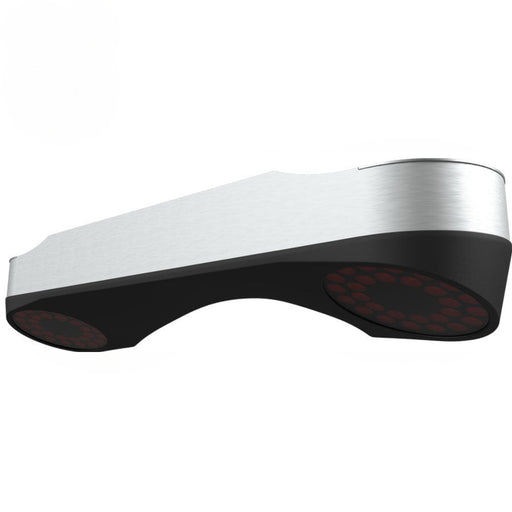
ProTee VX Overhead Launch Monitor
Original price $6,500.00 - Original price $7,900.00Original price$6,500.00 - $7,900.00$6,500.00 - $7,900.00Current price $6,500.00ProTee VX Launch Monitor – Ceiling-Mounted Precision for Serious Golfers The ProTee VX Launch Monitor is the most advanced ceiling-mounted golf lau...
View full details -
SkyTrak Majestic Golf Simulator
Original price $5,567.90 - Original price $10,753.90Original price $5,567.90 - Original price $10,753.90Original price $7,657.90$5,567.90 - $8,560.90$5,567.90 - $8,560.90Current price $5,567.90SkyTrak Majestic Golf Simulator With an award-winning screen, Golf Digest recommended launch monitor, vivid projection and a commercial quality hit...
View full details -

Vanish Series Retractable Golf Enclosure
Original price $2,999.00 - Original price $5,499.99Original price$2,999.00 - $5,499.99$2,999.00 - $5,499.99Current price $2,999.00The Ultimate Retractable Golf Enclosure for Authentic Simulator Experiences Overview Introducing the Vanish Series from The SportScreen — the worl...
View full details -
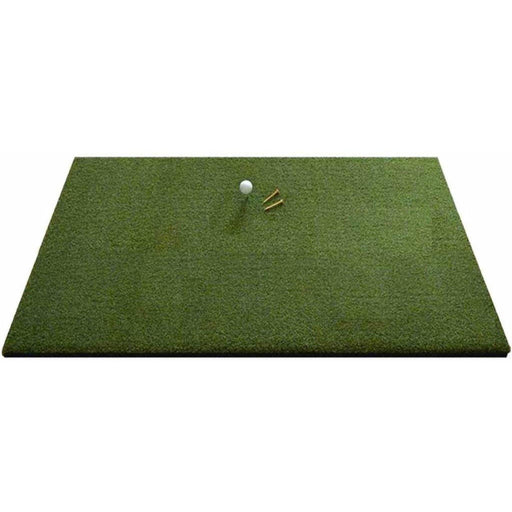
Eagle Golf Mat
Original price $370.00 - Original price $1,130.00Original price $370.00$370.00$370.00 - $1,130.00Current price $370.00Introducing the Eagle Golf Mat: The Ultimate Golf Experience Are you passionate about golf and demand nothing but the very best in your practice eq...
View full details -
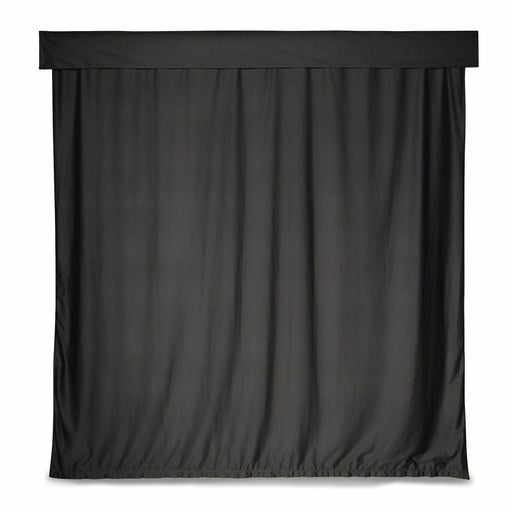
Golf Simulator Curtain
Original price $529.00 - Original price $879.00Original price$529.00 - $879.00$529.00 - $879.00Current price $529.00Golf Simulator Curtain – Transform Your Space into a Golf Haven Turn your ordinary space into an extraordinary golf haven with the Golf Simulator C...
View full details