
The Ultimate Guide to Overhead Mounted Launch Monitors for Golf Simulators
If you’re building a home or commercial golf simulator, one of the most important decisions you’ll make is choosing the right launch monitor. Among the available options, overhead mounted launch monitors stand out as a favorite among serious golfers and commercial golf simulator setups. Mounted above your hitting area, these monitors deliver incredible accuracy without interfering with your swing.
What Is an Overhead Mounted Launch Monitor?
An overhead mounted launch monitor is installed on the ceiling above your hitting area. Unlike portable or floor-based monitors that sit next to the player, these systems stay out of the way and use advanced tracking technology like high-speed cameras and infrared sensors to capture ball flight and club data.
Because they track from above, overhead monitors often provide more reliable and consistent readings, especially in enclosed simulator spaces.
Key Benefits of Overhead Mounted Launch Monitors
1. Unobstructed Swing Space
With nothing on the ground near the ball, golfers enjoy full freedom of movement. This is especially important for left-handed players, as you don’t need to adjust the monitor’s position.
2. Professional-Level Accuracy
Most overhead models are built with advanced optics and multi-angle sensors, ensuring highly precise ball and club tracking. This makes them a top choice for teaching pros and competitive players.
3. Ideal for Multi-User Environments
Commercial golf simulator studios, teaching academies, and entertainment facilities often rely on overhead units because they don’t require repositioning between right- and left-handed players.
4. Seamless Integration
Overhead launch monitors are designed to integrate smoothly with golf simulation software, giving you lifelike visuals, accurate ball flight, and detailed performance analysis.
5. Durability and Longevity
Since they’re mounted safely above the action, overhead monitors avoid wear and tear that ground-based units may face.
Popular Uses for Overhead Mounted Launch Monitors
- Home Golf Simulators – Perfect for golfers who want a permanent, clutter-free setup.
- Coaching Studios – Allows teaching professionals to focus on swing data without repositioning equipment.
- Golf Entertainment Venues – Reliable for high-traffic environments with multiple players.
- Indoor Practice Facilities – Ensures accurate performance tracking all year long.
Choosing the Right Overhead Launch Monitor
When shopping for an overhead launch monitor, keep the following factors in mind:
1. Tracking Technology
Look at whether the system uses cameras, radar, or a combination. Camera-based models typically excel in indoor environments.
2. Space Requirements
Check ceiling height recommendations to ensure proper installation. Most systems require at least 9–10 feet of ceiling clearance.
3. Software Compatibility
Make sure the monitor integrates with the golf simulator software you plan to use, whether that’s FSX, E6 Connect, or GSPro.
4. Data Parameters
Different models track different data points, such as ball speed, launch angle, spin rate, club path, and face angle. Consider which data matters most for your goals.
5. Budget & Purpose
For home use, you may prioritize ease of use and entertainment. For professional training, data depth and accuracy might be more critical.
Why Buy from Simply Golf Simulators?
At Simply Golf Simulators, we specialize in providing high-quality overhead mounted launch monitors from trusted brands. Our collection includes top-performing models designed for both home and commercial use.
When you shop with us, you’ll benefit from:
- Expert product knowledge and guidance
- Competitive pricing
- A wide selection of compatible golf simulation accessories
- Support to help you build your dream simulator setup
Frequently Asked Questions
Q1: Do I need a high ceiling for an overhead launch monitor?
Most units require at least 9 feet of ceiling clearance, though exact requirements vary by model.
Q2: Can left-handed and right-handed players use the same setup?
Yes! Overhead launch monitors eliminate the need to reposition the device between players.
Q3: Are they hard to install?
Installation is straightforward with proper ceiling space. Many systems come with detailed mounting instructions.
Q4: Do they work with all golf simulator software?
Compatibility depends on the model, but most integrate with popular software like FSX, GSPro, and E6 Connect.
Elevate Your Game with Overhead Mounted Launch Monitors
Whether you’re creating a home golf haven or upgrading a commercial simulator, an overhead mounted launch monitor offers unmatched convenience, accuracy, and reliability. Explore our collection at Simply Golf Simulators and take your indoor golf experience to the next level.

Have Questions About Golf Simulators?
Our expert team is here to help you find the perfect golf simulator for your needs.
Featured products
-
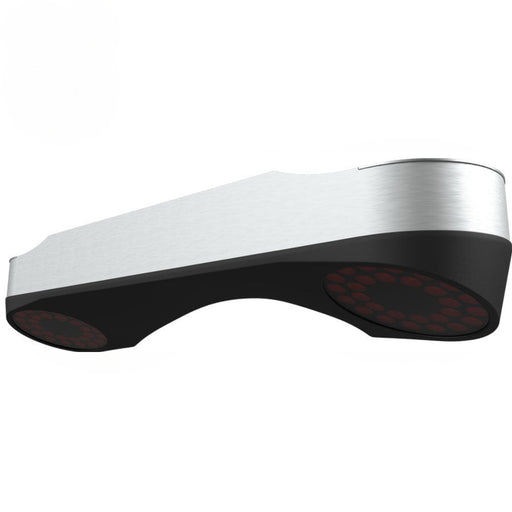
ProTee VX Overhead Launch Monitor
Original price $6,500.00 - Original price $7,900.00Original price$6,500.00 - $7,900.00$6,500.00 - $7,900.00Current price $6,500.00ProTee VX Launch Monitor – Ceiling-Mounted Precision for Serious Golfers The ProTee VX Launch Monitor is the most advanced ceiling-mounted golf lau...
View full details -
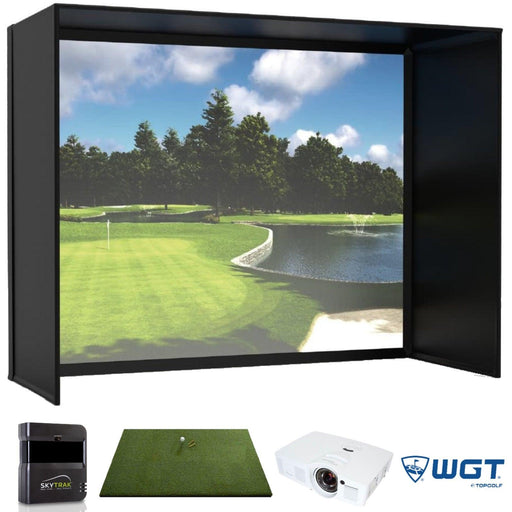
SkyTrak Majestic Golf Simulator
Original price $5,567.90 - Original price $10,753.90Original price $5,567.90 - Original price $10,753.90Original price $7,657.90$5,567.90 - $8,560.90$5,567.90 - $8,560.90Current price $5,567.90SkyTrak Majestic Golf Simulator With an award-winning screen, Golf Digest recommended launch monitor, vivid projection and a commercial quality hit...
View full details -

Vanish Series Retractable Golf Enclosure
Original price $2,999.00 - Original price $5,499.99Original price$2,999.00 - $5,499.99$2,999.00 - $5,499.99Current price $2,999.00The Ultimate Retractable Golf Enclosure for Authentic Simulator Experiences Overview Introducing the Vanish Series from The SportScreen — the worl...
View full details -
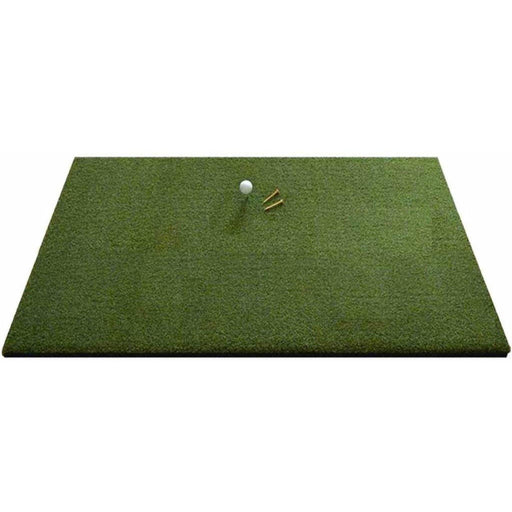
Eagle Golf Mat
Original price $370.00 - Original price $1,130.00Original price $370.00$370.00$370.00 - $1,130.00Current price $370.00Introducing the Eagle Golf Mat: The Ultimate Golf Experience Are you passionate about golf and demand nothing but the very best in your practice eq...
View full details -
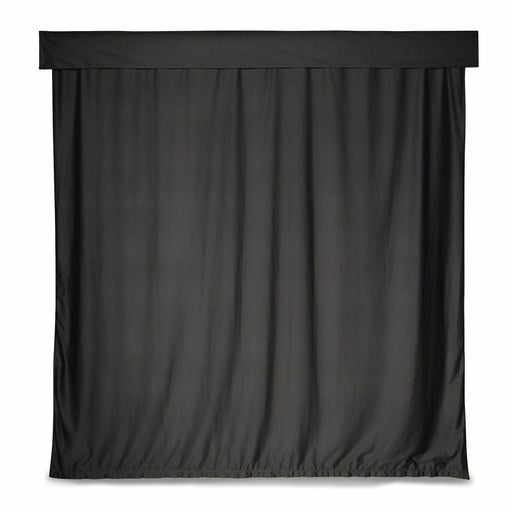
Golf Simulator Curtain
Original price $529.00 - Original price $879.00Original price$529.00 - $879.00$529.00 - $879.00Current price $529.00Golf Simulator Curtain – Transform Your Space into a Golf Haven Turn your ordinary space into an extraordinary golf haven with the Golf Simulator C...
View full details